
Iphone Batteries
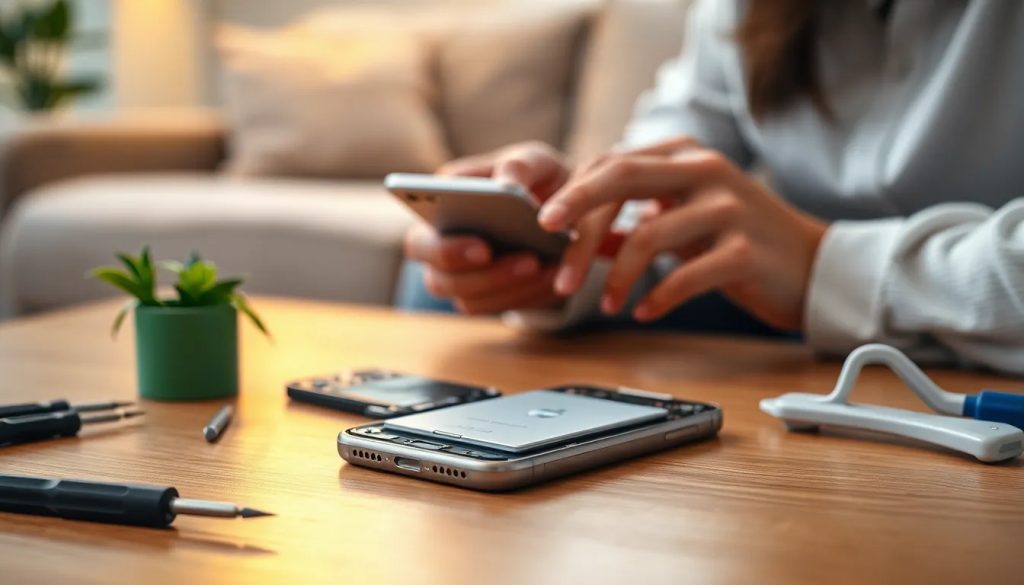
When it comes to keeping your iPhone running at peak efficiency, the battery is at the heart of it all. A healthy battery ensures that you can use your device throughout the day without the constant need for a power outlet. However, like any rechargeable battery, iPhone batteries have a limited lifespan and may eventually need to be replaced to maintain the device's performance.
Understanding the ins and outs of iPhone battery replacement is crucial for any user looking to extend the life of their device. From recognizing the signs of a failing battery to weighing the cost and safety of a DIY replacement, this article aims to provide a comprehensive guide on what you need to know about iPhone batteries.
- Why would you need to replace an iPhone battery?
- How much does a replacement iPhone battery cost?
- What comes in the iFixit battery fix kit?
- Does replacing a battery void your phone warranty?
- Is it safe to replace your iPhone battery yourself?
- Can I replace my iPhone battery myself?
- Is it worth replacing an iPhone battery?
- When to replace your iPhone battery: Understanding battery health
- Where to buy an original iPhone battery
- Best practices for iPhone battery maintenance
Why would you need to replace an iPhone battery?
Several signs indicate the need for an iPhone battery replacement. One of the most common signs is a significant drop in battery life, where the phone cannot hold a charge as long as it used to. Another sign is when the device unexpectedly shuts down, even with a significant charge displayed. Additionally, if the iPhone experiences poor performance, such as slow responsiveness or app crashes, it might also be due to a failing battery.
Apple's iOS includes a built-in tool to check battery health, which shows the battery's maximum capacity relative to when it was new. When this capacity falls below 80%, it is generally recommended to consider replacing the battery. Users may also notice a message in the battery settings suggesting a battery replacement if its health has significantly deteriorated.
A swollen battery is a critical sign of failure that should be addressed immediately as it can cause further damage to the device and potentially be a safety hazard. If you observe any bulging or deformation in your iPhone, it's time to replace the battery.
How much does a replacement iPhone battery cost?
The cost of an iPhone battery replacement can vary depending on various factors such as the iPhone model and whether you are covered by warranty or AppleCare. The replacement cost will typically be higher for newer models and lower for older ones.
For those out of warranty, Apple provides a fixed fee for battery service, which can be found on their official website. It's essential to get an estimate, as unauthorized service providers might offer lower prices but use non-genuine batteries, which could lead to potential issues.
It's worth noting that if you have AppleCare+ coverage, the replacement may be free or available at a reduced cost if your battery holds less than 80% of its original capacity. However, this does not cover batteries that wear down from normal use beyond the warranty period.
What comes in the iFixit battery fix kit?
iFixit is known for providing comprehensive DIY iPhone battery replacement kits. These kits typically include a high-quality replacement lithium-ion battery, all the necessary tools for the repair, such as screwdrivers and opening tools, and detailed instructions to guide you through the process.
The kits are designed to provide everything you need to perform a successful battery replacement at home. They usually contain a set of adhesive strips for securing the new battery in place, a spudger for safe prying, and sometimes even a magnetic project mat to keep track of all the screws and components.
Using a kit like this can ensure that the replacement process is as smooth and safe as possible, considering that you're working with delicate electronic parts.
Does replacing a battery void your phone warranty?
If your iPhone is still under warranty or covered by AppleCare+, it's important to use authorized Apple service providers for battery replacements to maintain the warranty. Replacing the battery yourself or using an unauthorized service provider can void the warranty.
For those who are out of warranty, replacing the battery yourself will not make much difference regarding warranty status. However, it is still crucial to use high-quality parts and follow proper instructions to avoid damaging your phone.
Is it safe to replace your iPhone battery yourself?
With the right tools and a careful approach, replacing your iPhone battery by yourself can be a safe process. It is essential, however, to understand the risks involved. Working with electronics carries the risk of damaging your phone, and lithium-ion batteries can be hazardous if punctured or handled improperly.
Before starting a DIY battery replacement, it's important to review all instructions and safety warnings. Ensure you are working in a clean, well-lit area, and take your time to avoid rushing through the steps, which could lead to mistakes.
Can I replace my iPhone battery myself?
Yes, you can replace your iPhone battery yourself with the proper tools and a bit of patience. The process involves turning off your iPhone, removing the screws, carefully opening the device, disconnecting the old battery, and then placing the new one.
However, it's important to note that DIY repairs should only be attempted by those who are confident in their technical abilities. The process can be intricate, with the possibility of damaging other components of your iPhone if not done correctly.
Is it worth replacing an iPhone battery?
Replacing an iPhone battery can be a cost-effective way to prolong your device's lifespan significantly. A new battery can restore full functionality to your iPhone, avoiding the need for a costly upgrade.
Assessing the cost of the replacement against the price of a new iPhone will often show that a battery replacement is a more economical choice, especially if the phone is otherwise in good condition.
When to replace your iPhone battery: Understanding battery health
As mentioned earlier, the iPhone's battery health feature is a useful tool to determine when a replacement is necessary. Once the maximum capacity drops below 80%, it's a sign that the battery's performance may be degrading.
Also, if you notice a significant decrease in usage time or if your iPhone is subject to performance throttling to prevent unexpected shutdowns, these are clear indications that it's time for a new battery.
Where to buy an original iPhone battery
For those who prefer professional installation, Apple stores and authorized service providers offer battery replacement services with genuine Apple batteries. For DIY enthusiasts, purchasing a battery replacement kit from reputable vendors like iFixit ensures you receive a high-quality product that matches Apple's standards.
It's crucial to avoid counterfeit or low-quality batteries, which can be found in some online marketplaces, as they can pose significant performance and safety risks.
Best practices for iPhone battery maintenance
To maximize the lifespan of your iPhone battery, follow these best practices:
- Avoid exposing your iPhone to extreme temperatures.
- Use only Apple-certified chargers and cables.
- Keep your iPhone updated with the latest iOS, which often includes battery health management features.
- Perform regular charge cycles by letting the battery drain to around 20% and then charging it up to 80-100%.
- Avoid leaving your iPhone plugged in all the time, as this can lead to battery wear.
Maintaining your iPhone battery's health is crucial for ensuring that your device remains functional and efficient. By understanding the signs of a failing battery, the costs involved, and the options available for replacement, you can make informed decisions on how to best care for your iPhone. Whether you choose a professional service or a DIY approach, using genuine parts and following recommended practices will help extend the life of your iPhone battery.
Recommended: